✖



ある程度きちんと網羅されたのがなかったので自分で書いていた。コード読みながら書いてるので、誤解がなければ正しいことが書いてあるはず。とはいえ完全に網羅できてない (electrical delay まわりとかの記述がまるっと抜けている)。
![ソニー 広角単焦点レンズ フルサイズ FE 28mm F2 デジタル一眼カメラα[Eマウント]用 純正レンズ SEL28F20 - ソニー(SONY)](https://m.media-amazon.com/images/I/41-tLipGfPL._SL500_.jpg)
ソニー 広角単焦点レンズ フルサイズ FE 28mm F2 デジタル一眼カメラα[Eマウント]用 純正レンズ SEL28F20 cho45
ソニー FE マウントは 55mm しか持っていなかったが、28mm もついに買ってしまった。FE マウントでは安い部類なのでさっさと買えばよかった。




memcached のデータが早々に消えることが多くなっていて困っていた。
https://lowreal.net/2016/12/14/2 で h2o の ssl-session-resumption のストア先を memcached にしているのが原因ではないか?と思ってやめてみたらなおった気がする。
NanoVNA (stm32f07) に対しての書きこみで、どの方法が早いのだろうか?と気になったので試した。対象は 95764bytes の ch.bin
結論からいうと SWD 経由の書きこみが早い。
(前もって DFU モードでブートする必要あり)
$ time dfu-util -d 0483:df11 -a 0 -s 0x08000000:leave -D build/ch.bin
dfu-util 0.9

Copyright 2005-2009 Weston Schmidt, Harald Welte and OpenMoko Inc.
Copyright 2010-2016 Tormod Volden and Stefan Schmidt
This program is Free Software and has ABSOLUTELY NO WARRANTY
Please report bugs to http://sourceforge.net/p/dfu-util/tickets/

dfu-util: Invalid DFU suffix signature
dfu-util: A valid DFU suffix will be required in a future dfu-util release!!!
Opening DFU capable USB device...
ID 0483:df11
Run-time device DFU version 011a
Claiming USB DFU Interface...
Setting Alternate Setting #0 ...
Determining device status: state = dfuERROR, status = 10
dfuERROR, clearing status
Determining device status: state = dfuIDLE, status = 0
dfuIDLE, continuing
DFU mode device DFU version 011a
Device returned transfer size 2048
DfuSe interface name: "Internal Flash  "
Downloading to address = 0x08000000, size = 95764
Download        [=========================] 100%        95764 bytes
Download done.
File downloaded successfully
Transitioning to dfuMANIFEST state
dfu-util -d 0483:df11 -a 0 -s 0x08000000:leave -D build/ch.bin  0.02s user 0.06s system 0% cpu 18.737 total
OpenOCD からデバッグではなくプログラムを書きこむ場合
http://openocd.org/doc/html/Flash-Programming.html#Flash-Programming これの通りだけど、基本的に program コマンドを使えばよい。
program の実装は https://github.com/ntfreak/openocd/blob/master/src/flash/startup.tcl で、いくつかのコマンドを呼びだすラッパーになっている。
stm32f0x だと stm32f0x.cfg で reset 直後に 48MHz クロックを起動して JTAG の最高速度を 8MHz まで上げている。
USB 経由と違って、いきなりコマンドを実行すれば書きこめる。
$ time openocd -f interface/stlink.cfg -f target/stm32f0x.cfg  -c "program ./build/ch.bin 0x08000000 verify reset exit"
Open On-Chip Debugger 0.10.0+dev-00930-g09eb941c (2019-09-14-00:35)
Licensed under GNU GPL v2
For bug reports, read
        http://openocd.org/doc/doxygen/bugs.html
Info : auto-selecting first available session transport "hla_swd". To override use 'transport select <transport>'.
Info : The selected transport took over low-level target control. The results might differ compared to plain JTAG/SWD
Info : clock speed 1000 kHz
Info : STLINK V2J34S7 (API v2) VID:PID 0483:3748
Info : Target voltage: 3.261130
Info : stm32f0x.cpu: hardware has 4 breakpoints, 2 watchpoints
Info : Listening on port 3333 for gdb connections
Info : Unable to match requested speed 1000 kHz, using 950 kHz
Info : Unable to match requested speed 1000 kHz, using 950 kHz
target halted due to debug-request, current mode: Thread
xPSR: 0xc1000000 pc: 0x080000c0 msp: 0x20000200
Info : Unable to match requested speed 8000 kHz, using 4000 kHz
Info : Unable to match requested speed 8000 kHz, using 4000 kHz
** Programming Started **
Info : device id = 0x20016448
Info : flash size = 128kbytes
** Programming Finished **
** Verify Started **
** Verified OK **
** Resetting Target **
Info : Unable to match requested speed 1000 kHz, using 950 kHz
Info : Unable to match requested speed 1000 kHz, using 950 kHz
shutdown command invoked
openocd -f interface/stlink.cfg -f target/stm32f0x.cfg -c 0.37s user 0.83s system 27% cpu 4.365 total 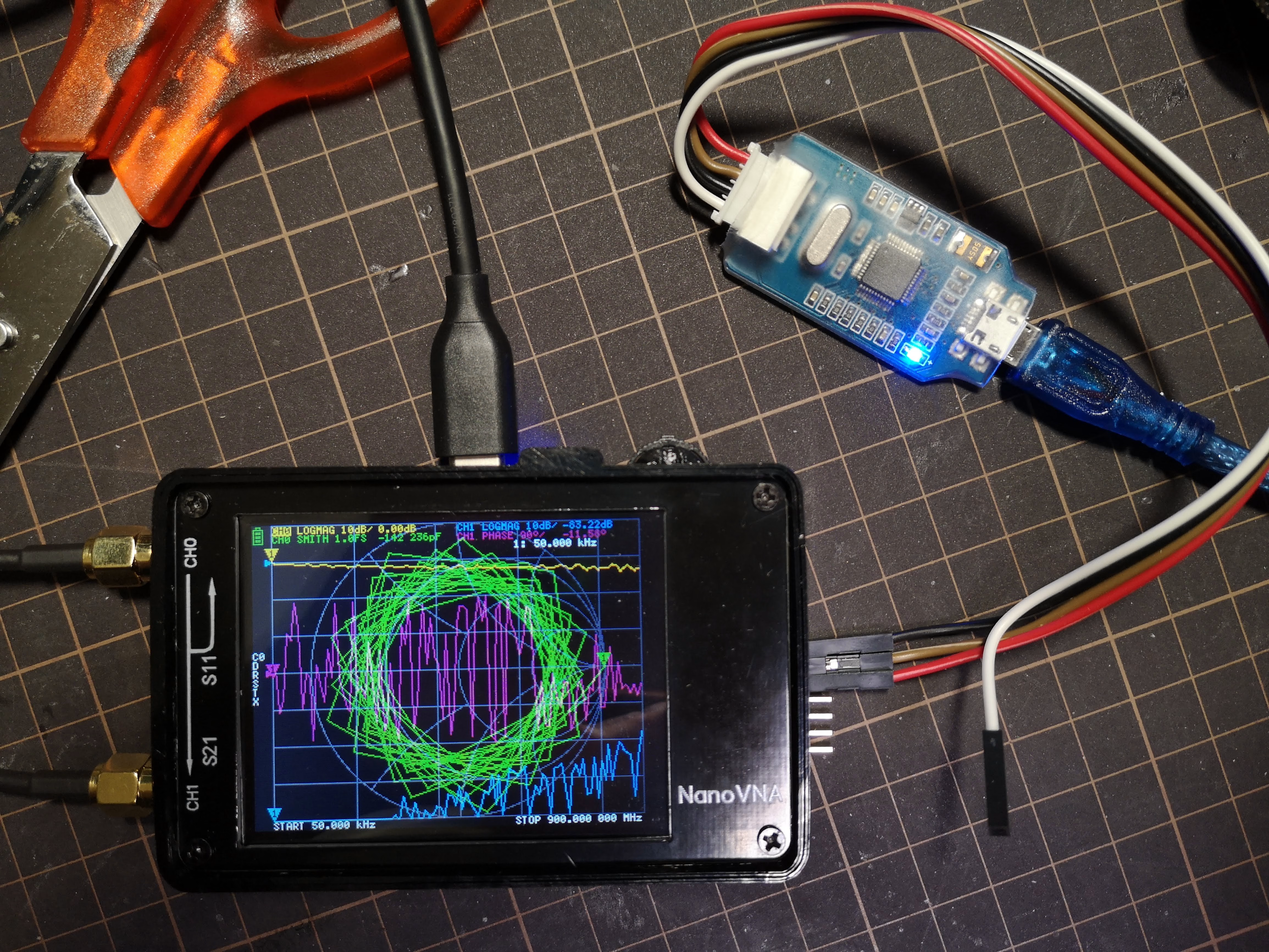
nRF51 で一回試したっきり使っていない怪しい J-Link OB
USB 経由と違って、いきなりコマンドを実行すれば書きこめる。デフォルト JTAG なので、ちゃんと SWD を指定しないとダメです。
$ time openocd -f interface/jlink.cfg -c "transport select swd" -f target/stm32f0x.cfg   -c "program ./build/ch.bin 0x08000000 verify reset exit"
Open On-Chip Debugger 0.10.0+dev-00930-g09eb941c (2019-09-14-00:35)
Licensed under GNU GPL v2
For bug reports, read
        http://openocd.org/doc/doxygen/bugs.html
swd
Info : J-Link ARM-OB STM32 compiled Aug 22 2012 19:52:04
Info : Hardware version: 7.00
Info : VTarget = 3.300 V
Info : clock speed 1000 kHz
Info : SWD DPIDR 0x0bb11477
Info : stm32f0x.cpu: hardware has 4 breakpoints, 2 watchpoints
Info : stm32f0x.cpu: external reset detected
Info : Listening on port 3333 for gdb connections
target halted due to debug-request, current mode: Thread
xPSR: 0xc1000000 pc: 0x080000c0 msp: 0x20000200
** Programming Started **
Info : device id = 0x20016448
Info : flash size = 128kbytes
** Programming Finished **
** Verify Started **
** Verified OK **
** Resetting Target **
shutdown command invoked
openocd -f interface/jlink.cfg -c "transport select swd" -f -c 0.25s user 0.52s system 16% cpu 4.628 total chromium Issue 884928: Web Serial API が該当する。(Chrome 系以外では実装されていない。予定もない)
実は Chrome Stable 77 でも、既に chrome://flags/#enable-experimental-web-platform-features を有効にしていると navigator.serial が生えてくるようになっている。
が、Android では(まだ)使えないみたいだ。上記イシューも Android がスコープに入っていない。
簡単に試せるページもある GitHub - GoogleChromeLabs/serial-terminal: Demo application for the Serial API.
ちなみに WebUSB での polyfill があったりする(これも google のレポジトリに入っている…) https://github.com/google/web-serial-polyfill けど、USB CDCはだいたいはOS側でインターフェイスを握られてしまうので、ドライバを無効にしたりしないといけないことに注意がいる。
現行では worker コンテキスト内で使うことができない。API 自体は有効なのだが、requestPort() してペアリングしたシリアルポートを、worker 内の getPorts で取得することができない。Issue 1005079: Serial Mojo interface not provided to Workers 報告したらイシューが立った。
また、上記に関連するのかもしれないが、そこそこ高速で通信を行うと容易にバッファが溢れてしまい、データの欠落が起こる。なので非常に大きなバッファを指定する必要がある。複数同時に read してもダメ。
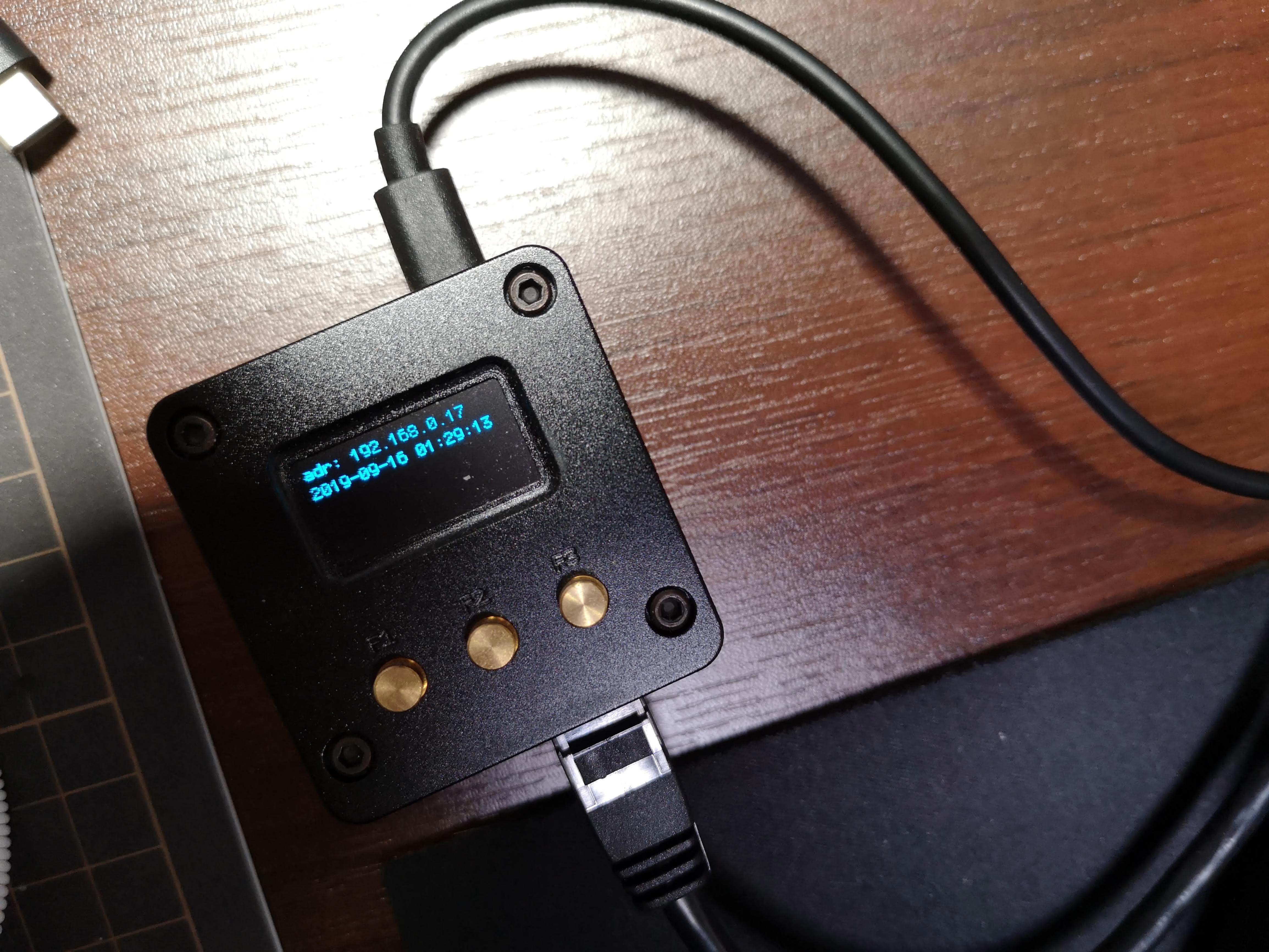
しばらく放っておいてどうセットアップしたか忘れたので、https://www.armbian.com/nanopi-neo-2/ armbian を改めて入れてみる。
FriendlyARM のイメージも結構更新されていそうだけど、どっちがいいか不明。しかし FriendlyARM のイメージはいまいちデキが良い感じがしなかったので、armbian Bionic server (Ubuntu系) を入れてみる。
Etcher で焼くだけ
ping 192.168.0.255 とかして arp -a して 02:01:a9 からはじまる Mac アドレスがそれ。
https://docs.armbian.com によると、デフォルトで ssh が起動しており、root 、 1234 で入れるらしい。
ssh root@192.168.0.xx
すると、初回設定としてパスワード変更とユーザ追加をさせられる。やったら一回 logout して、作ったユーザーでログインしなおす。
前後して
ssh-copy-id cho45@192.168.0.17
とかやっておく。
sudo armbian-config
して Personal -> Timezone の設定と、 System -> Hardware -> i2c0 にチェックを入れて再起動。
検出できるか確認しとく。
$ sudo apt install i2c-tools
$ sudo i2cdetect -y 0
     0  1  2  3  4  5  6  7  8  9  a  b  c  d  e  f
00:          -- -- -- -- -- -- -- -- -- -- -- -- --
10: -- -- -- -- -- -- -- -- -- -- -- -- -- -- -- --
20: -- -- -- -- -- -- -- -- -- -- -- -- -- -- -- --
30: -- -- -- -- -- -- -- -- -- -- -- -- 3c -- -- --
40: -- -- -- -- -- -- -- -- -- -- -- -- -- -- -- --
50: -- -- -- -- -- -- -- -- -- -- -- -- -- -- -- --
60: -- -- -- -- -- -- -- -- -- -- -- -- -- -- -- --
70: -- -- -- -- -- -- -- --
i2c グループに自分を追加しておく
$ sudo usermod -a -G i2c
# 一回ログアウトすること
$ i2cdetect -y 0
armbian もデフォルトでは root にしか gpio へのアクセス権限がなく、gpio グループなども設定されていない。ので自分でやる必要がある.
sudo groupadd gpio
sudo usermod -aG gpio cho45
$ sudo vim /etc/udev/rules.d/80-gpio.rules
SUBSYSTEM=="gpio", PROGRAM="/bin/sh -c '/bin/chown -R root:gpio /sys/devices/platform/soc/*pinctrl/gpio*'"
SUBSYSTEM=="gpio", PROGRAM="/bin/sh -c '/bin/chmod -R ug+rw /sys/devices/platform/soc/*pinctrl/gpio*'"
SUBSYSTEM=="gpio", PROGRAM="/bin/sh -c '/bin/chown -R root:gpio /sys/class/gpio'"
SUBSYSTEM=="gpio", PROGRAM="/bin/sh -c '/bin/chmod -R ug+rw /sys/class/gpio'"
sudo udevadm control --reload-rules
sudo udevadm test --action=change /sys/devices/platform/soc/1c20800.pinctrl/gpiochip1/gpio/gpio0
$ ls -altr /sys/class/gpio/
total 0
-rw-rw----  1 root gpio 4096 Sep 15 15:45 export
drwxrwxr-x  2 root gpio    0 Sep 15 15:45 .
drwxr-xr-x 51 root root    0 Sep 15 15:45 ..
lrwxrwxrwx  1 root gpio    0 Sep 15 15:45 gpio0 -> ../../devices/platform/soc/1c20800.pinctrl/gpiochip1/gpio/gpio0
-rw-rw----  1 root gpio 4096 Sep 15 15:45 unexport
lrwxrwxrwx  1 root gpio    0 Sep 15 15:45 gpio3 -> ../../devices/platform/soc/1c20800.pinctrl/gpiochip1/gpio/gpio3
lrwxrwxrwx  1 root gpio    0 Sep 15 15:45 gpiochip352 -> ../../devices/platform/soc/1f02c00.pinctrl/gpio/gpiochip352
lrwxrwxrwx  1 root gpio    0 Sep 15 15:45 gpiochip0 -> ../../devices/platform/soc/1c20800.pinctrl/gpio/gpiochip0
lrwxrwxrwx  1 root gpio    0 Sep 15 15:45 gpio2 -> ../../devices/platform/soc/1c20800.pinctrl/gpiochip1/gpio/gpio2
nodejs をいれる。apt でいれると気持ちわるいことになるので公式パッケージをいれるほうがよい。
$ cd ~/
$ mkdir app
$ cd app
$ wget https://nodejs.org/dist/v10.16.3/node-v10.16.3-linux-arm64.tar.xz
$ tar xvf node-v10.16.3-linux-arm64.tar.xz
$ ln -s  node-v10.16.3-linux-arm64 node
$ cd ~/bin
$ ln -s ~/node/bin/* .
$ sudo apt install pkg-config libcairo2-dev
$ git clone git@github.com:cho45/nanohat-oled-nodejs.git
$ cd nanohat-oled-nodejs
$ npm install
動作確認
$ node index.js
systemd 化
$ ./install.sh
$ ls /etc/update-motd.d
にある。/etc/update-motd.d/30-armbian-sysinfo が特に有用
PCB上にピンヘッダ(未実装)がある。
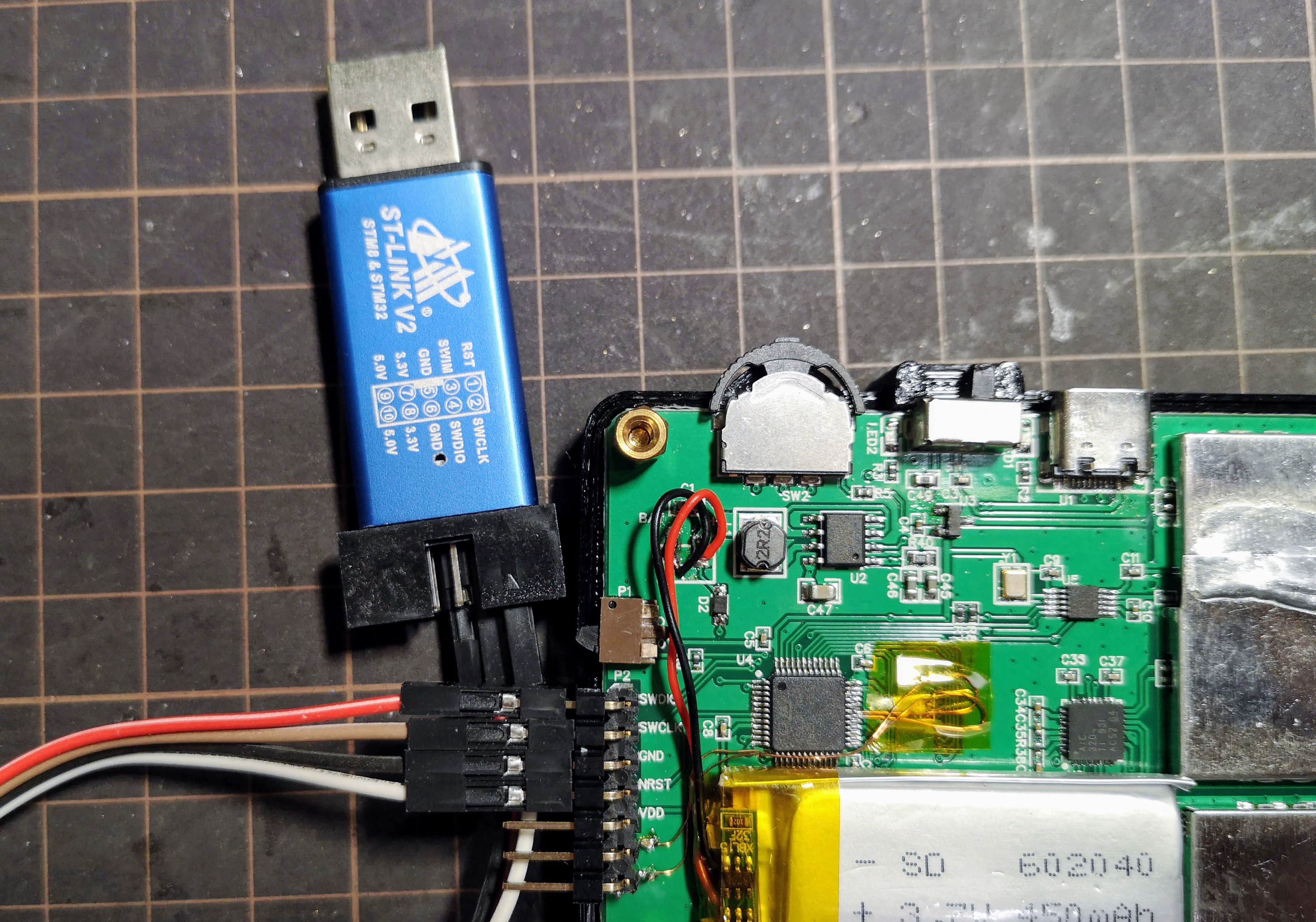
SWD (Serial Wire Debug) 用のもの。ここに ST-Link を繋ぐ。ST-Link といっても中華 ST-Link だけど、こういう感じになる。
VCC 以外を接続する。VCCは普通に電源をオンにして供給する。
普通に make して build できる環境にしておく。arm-none-eabi-gcc が入っていればよい。
open-ocd は brew で入るデフォルトではなく、head を入れる必要がある。なぜか texinfo が要求されて死んだので前もって入れたほうがよさそう。
brew install texinfo
brew install open-ocd --HEAD
普段は vim を使っているが、CUI デバッガは個人的にはつらいので、こういうときは VSCode を使う。
VSCode を入れたのち Cortex-Debug extension を入れて使う。VSCode を開いて、Extensions から検索して Install するのが最速。
make を呼ぶようにしておく
{
    "tasks": [
        {
            "type": "shell",
            "label": "build",
            "command": "make",
            "args": [
            ],
            "options": {
                "cwd": "${workspaceRoot}"
            }
        }
    ],
    "version": "2.0.0"
} stlink を使って stm32f0x をデバッグするので以下のようにする。また、デバッグ前に build するようにする。
{
    "version": "0.2.0",
    "configurations": [
        {
            "type": "cortex-debug",
            "servertype": "openocd",
            "request": "launch",
            "name": "OpenOCD-Debug",
            "executable": "build/ch.elf",
            "configFiles": [
                "interface/stlink.cfg",
                "target/stm32f0x.cfg"
            ],
            "cwd": "${workspaceRoot}",
            "preLaunchTask": "build",
        }
    ]
} Debug を開いて Start Debugging (F5) をする。ビルドしたのち、しばらくする (デバイス側にビルドしたファームが転送される) とデバイス側の画面は白くなり、リセットハンドラでブレークするので、適当な場所にブレークポイントを置いて resume する。
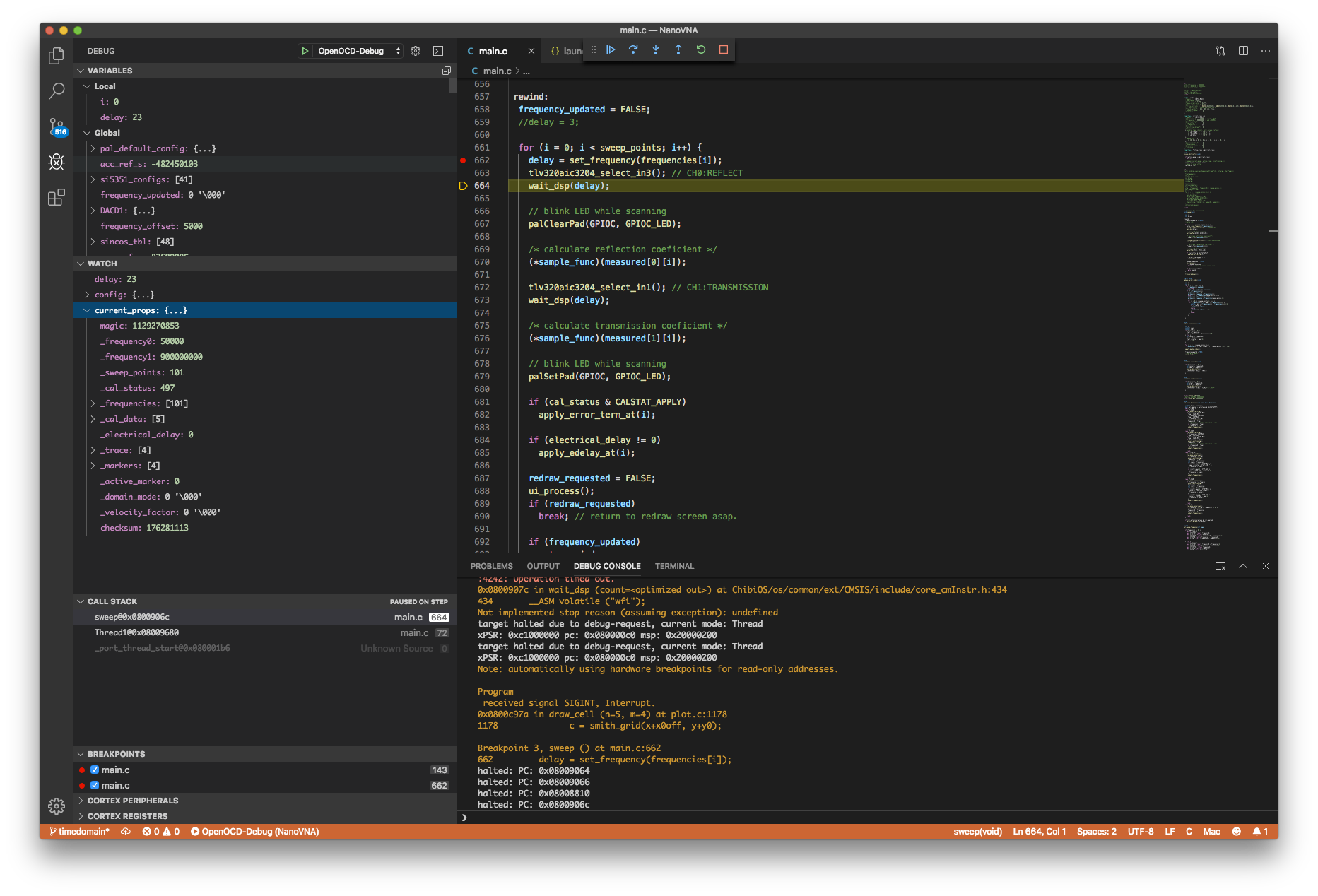
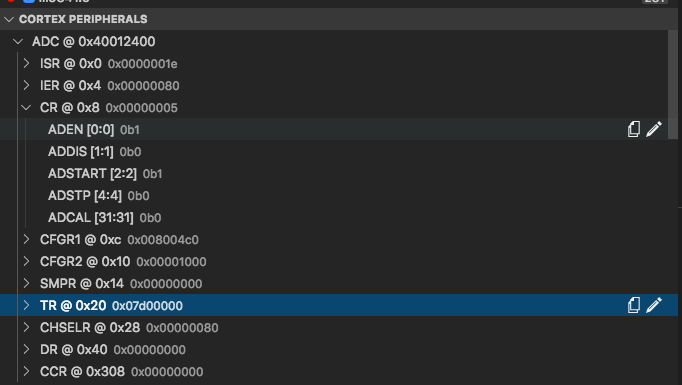
追加で SVD (System View Description) ファイル (ST のサイトからダウンロードできる を指定しておく。
"svdFile": "./STM32F0x8.svd",
MCU のレジスタがわかりやすく表示される
/usr/local/share/openocd/scripts/
にある。結構 deprecated になっているものも置いたままだったりする。stlink.cfg は ST-Link のバージョンに関係なく共通で使えるものになっている。
リソース


SteelSeries ゲーミングマウスパッド ブラック 小型 ノンスリップラバーベース 25cm×21cm×0.2cm QcK mini 63005 cho45
会社のマウスとマウスパッドを買い替えた。前まで SteelSeries QcK (mini じゃないやつ) を使ってたけど、普段全面を使うことはまずないので mini にしてみた。