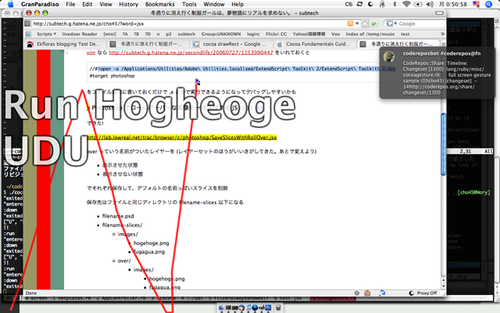
Copernicus はマウストラッキングしてスクリーンとれるけど、どことってるのかよくわからない。
ので、ある範囲だけ明くする RubyCocoa スクリプトのサンプル
require "osx/cocoa"
include OSX
class MainView < NSView
def drawRect(rect)
super_drawRect(rect)
NSColor.blackColor.set
NSRectFill(bounds)
NSColor.clearColor.set
point = NSEvent.mouseLocation
x, y = point.x, point.y
width = 512
height = 384
NSRectFill([
x - width / 2,
y - height / 2,
width,
height
])
end
end
class Test < NSObject
def applicationDidFinishLaunching(n)
screenFrame = NSScreen.mainScreen.frame
rect = screenFrame
@window = NSWindow.alloc.objc_send(
:initWithContentRect, screenFrame,
:styleMask, NSBorderlessWindowMask,
:backing, NSBackingStoreBuffered,
:defer, 0
)
@window.opaque = false
@window.hasShadow = false
@window.level = 1000
@window.ignoresMouseEvents = true
@window.alphaValue = 0.8
@view = MainView.alloc.initWithFrame(rect)
@window.contentView = @view
@window.frameOrigin = [0, 0]
@window.makeKeyAndOrderFront(nil)
@window.orderFrontRegardless
point = NSEvent.mouseLocation
Thread.start do
loop do
sleep 0.01
np = NSEvent.mouseLocation
unless np == point
@view.needsDisplay = true
end
point = np
end
end
end
end
app = NSApplication.sharedApplication
app.delegate = Test.new
app.run
これだとマウスをはやく動かしたときに Copernicus のキャプチャにうつりこんじゃうんだよなぁ (それにこのスクリプト自体がかなり重い)。やっぱ自力でキャプチャアプリ書くしかないのかなぁ。速度求められるアプリケーションはむずかしいよお